



Your CRM Now Files New Contacts Under the Right Company For You
Let me paint you a picture, because I suspect it will feel familiar.
You open your CRM and search for a client. Say, Acme. Up come four results. Acme. Acme Pty Ltd. ACME. And one more Acme with a trailing space nobody can see. Every person you know at that firm has been filed under a different version, so when you ask the obvious question, "who do we actually know at Acme?", you get a quarter of the answer.
Nobody did anything wrong. Someone typed a company name in a hurry and got on with the real work. That is how every CRM ends up like this, and I have seen plenty of them.
This week's update to your Stand Out From The Pack platform (SOFTP for short, get used to it) takes that job off your plate entirely. Contacts now find their own company, based on the one thing that is always spelled correctly: their email domain.
What actually changed?
Every contact record has an email address. Every company has a web domain. Your SOFTP platform now puts the two together.
When a new contact comes in as [email protected], the system looks for a company with the domain acme.com.au. If it finds one, Sarah is linked to it automatically. If Acme exists but nobody ever filled in its domain, the system works that out, fills it in, and reuses the existing record instead of making a new one. And if there is no Acme at all, it creates the company, stores the domain, and pulls in the company name and logo for you.
So in plain English:
- Contacts get linked to the right company without anyone touching them
- New companies get created only when there genuinely is no match
- Company records get a name and a logo filled in automatically
- Two companies can no longer share the same domain, which is how duplicates start
- Free email providers like Gmail and Outlook are ignored, so you do not end up with a "company" called gmail.com holding half your database
- Existing links you made by hand are left alone
There is also a new Company Domain Name field on every company record, set to unique by default. That field is the backbone of the whole thing.
Who is this for?
If you sell to other businesses, this is a genuinely good week. Recruiters, accountants, finance brokers, consultants, commercial electricians and plumbers, anyone who deals with three or four people at the same business client. You will finally be able to open a company and see every person you know there, every deal, every note, in one place.
If your customers are households and their emails are all @gmail.com and @bigpond.com, this update will quietly do nothing for you, and that is fine. Read on anyway, because the next update will be yours.
Three ways this plays out in a real business
The B2B sales rep. You sell to companies, and every deal has more than one person in it. The operations manager who enquired, the finance lead who signs off, the assistant who books the meetings. Before: three contacts, three separate stories, and you only find out they are the same deal when two of them turn up on the same call. Now: all three land under the one company the moment their email hits your CRM. Open the company, see the whole buying group, every call note, every proposal. And when a fourth person from that firm fills in a form, that is not a new lead. That is a very warm signal on an existing deal, and you can build a workflow that tells you so.
The recruitment agency. Your clients are companies, but your relationships are with people, and those people move around. A hiring manager at Acme, then a second one from a different department, then the HR coordinator who sends the job briefs. Without domain matching, each one gets filed wherever the consultant on the day put them. With it, Acme becomes one company record with every hiring manager, every open role and every placement under it. When someone asks "how much work have we done for Acme this year?", the answer is one click, not an afternoon in spreadsheets.
The commercial electrical contractor. You quote a fit-out for a builder. The estimator sends the tender, the site supervisor emails about access, the accounts team pays the invoice. Three people, one client, and until now three chances to create a duplicate "company" in your CRM. With domain matching, all three sit under the builder, so you can see how many jobs you have done for them, which ones are still open, and who to ring when the next tender comes out. Repeat commercial work is the most profitable work most trades do, and this is how you stop losing track of who is giving it to you.
How do you switch it on?
Grab a coffee, this takes about five minutes.
- Go to Settings and open Labs. Find "Automatic Company Creation & Association by Domain" and turn it on.
- Now go to Settings, then Objects, then Companies.
- Under Automations you will see the new options. Tick these three: - Enrich companies automatically - Create companies from contact's email domain - Automatically prevent duplicate companies
- Click Exclude domains from automatic association and add any domains you never want treated as a company. Your own domain is a good start, so your team does not become a client.
- Hit Save changes.
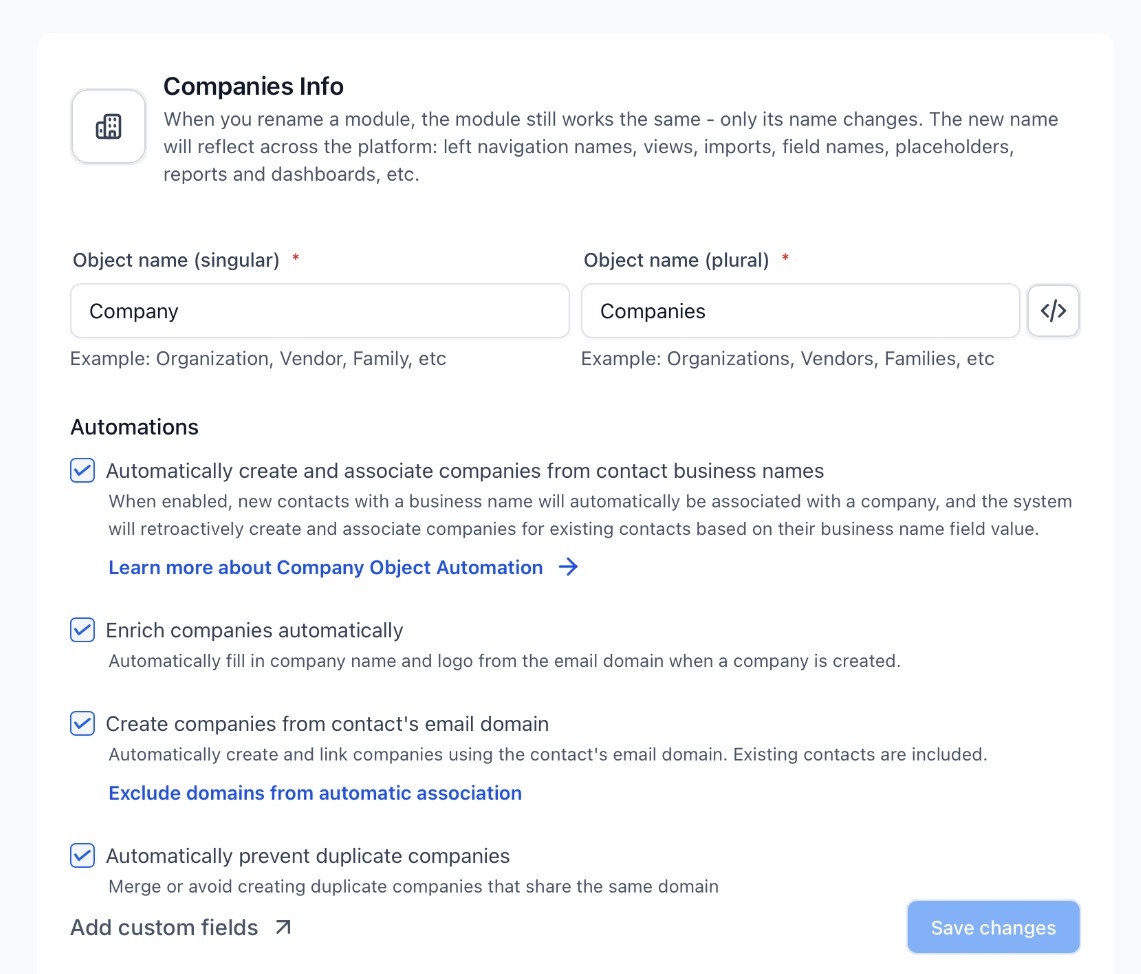
When you turn on the email domain option you will get one more question: do you want this applied to your existing data as well?
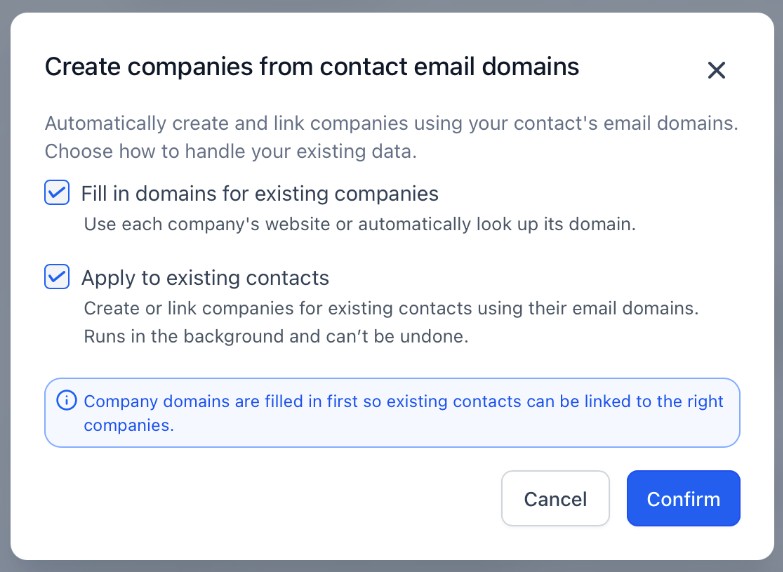
My advice: yes to both, but read the small print first. "Fill in domains for existing companies" looks up each company's website and stores its domain, so your existing companies become matchable. "Apply to existing contacts" then goes back through your whole database and links or creates companies for everyone already in there. It runs in the background and it cannot be undone.. so if your company list is a mess of duplicates right now, tidy the obvious ones first, then let it run.
The older automation that creates companies from the business name field keeps working alongside this. They do not fight each other.
What should you know before you trust it?
A few things worth having in the back of your head:
- Matching is exact. acme.com.au and mail.acme.com.au are treated as two different domains. If a client uses a couple of domains, add the company once and you may still need to merge a straggler by hand.
- Enrichment (the name and logo lookup) is best effort. If it cannot find a logo, the company still gets created, just without the pretty picture.
- Domains you typed in manually are never overwritten by the backfill.
- Existing associations are respected. If you deliberately linked someone to a different company, the system leaves your decision alone.
What do you do with it once it is on?
This is where it gets interesting, because tidy company records are not the goal. They are the foundation.
Once every contact sits under the right company, you can build a Company smart list of "clients with more than one contact and no open deal", and go and have a conversation with them. You can trigger a workflow when a second person from the same firm enquires, which is about the strongest buying signal there is. You can report on revenue by company instead of by person, which is the number your accountant actually wants.
If you want a hand with any of it, you have options, and none of them involve figuring it out alone. Search the Knowledge Base for the how-to, post your question in the Growth Insider Community where other owners are solving the same things, open a 24/7 live chat with Alfie any hour of the day, or bring your screen to the weekly Open Office Hours and we will build it with you live. Everything in one place: standoutfromthepack.com.au/support.
Want the rest of the updates?
We will feature one update a week here, the one we think is worth your time that week. Everything else that changes in your platform, big and small, lands in the What's New feed in the Help Centre.




Live, Practical, Zero Jargon
Short sessions on follow-up, systems and AI you can put to work the same afternoon. Get on the list and we'll tell you when the next one's on.
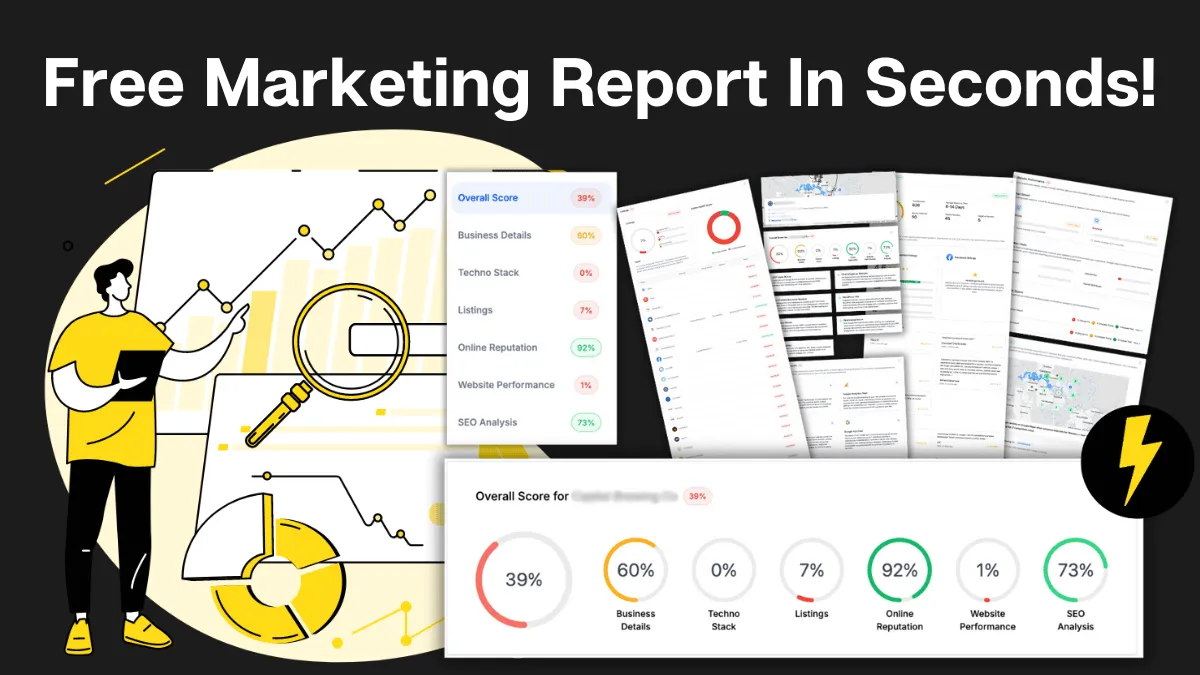
How Do You Stack Up Against the Business Down the Road?
See how you show up online next to competitors near you: reviews, listings, visibility. Free, and no homework required.

Supercharge Your Business!
Transform your business growth with our all-in-one sales and marketing software. Capture, nurture, and close more leads with ease. Don't miss out on the opportunity to streamline your operations and drive success.

See It Working Before You Talk to Anyone
Watch an enquiry get caught, answered and booked in without you glued to your phone. Your pace, no pressure.

Never miss an update from Business Booster Insights. Subscribe to our 'Level Up Newsletter' and get expert tips, strategies, and exclusive content delivered straight to your inbox. Elevate your business game today!

Your Clients Need Better Follow-Up. You Could Earn From It.
Accountants, coaches and consultants spot leaky businesses every day. Recommend the fix and earn ongoing commission.

Where Are Your Enquiries Going Cold?
Answer a few quick questions and see exactly where leads slip between "just asking" and "let's book." Takes less time than your next coffee order.
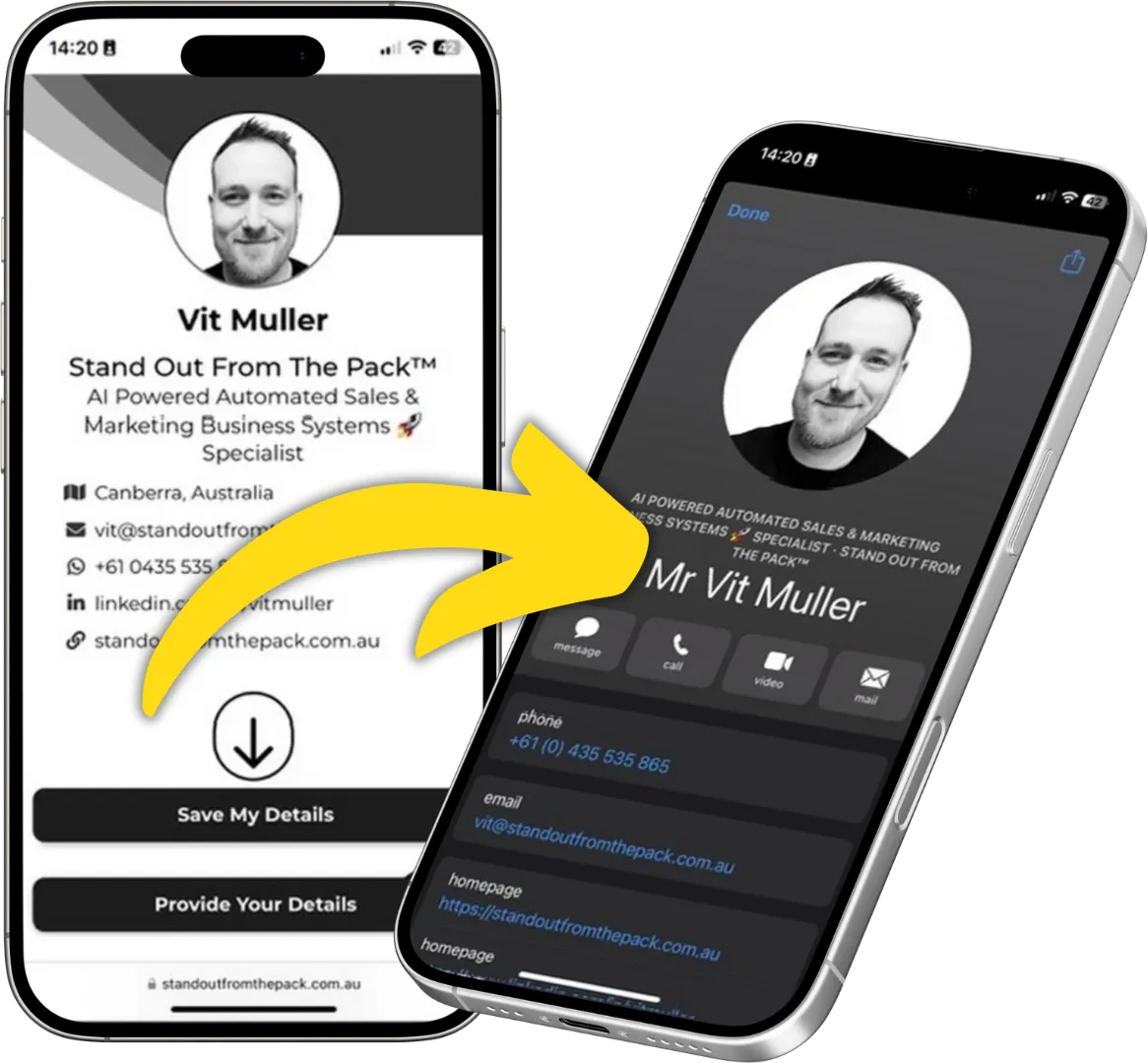
Still Handing Out Cards That End Up in the Wash?
Share your details in one tap so people can save you, call you or book you on the spot. Yours free.