
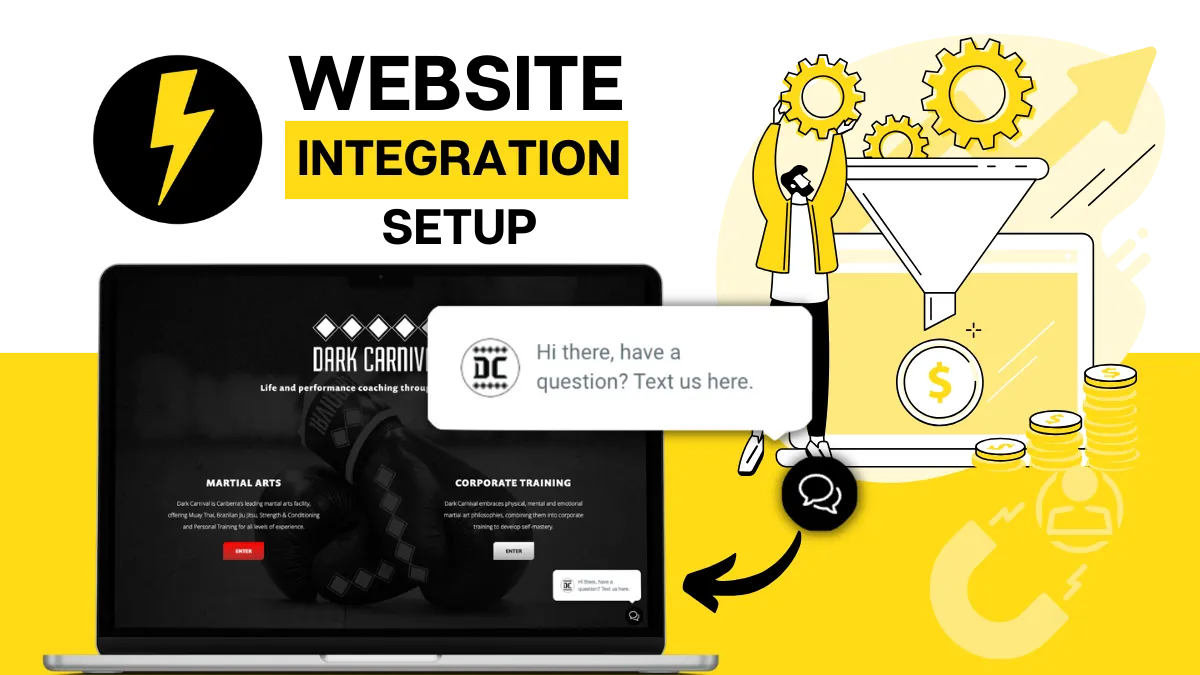
Grant Us Access to Your Website 🚀
To begin helping you accelerate your sales and marketing goals, please provide us with the login credentials for your website's content management system (CMS).
Whether you're using WordPress, Wix, Webflow, Weebly, GoDaddy, Squarespace, or any other platform, we can work with it.
If you already have a website developer you'd like us to coordinate with instead of accessing your site directly, we're happy to do so.
For security purposes, we kindly request that you create a new user access specifically for us. This will ensure transparency in any changes made to your website CMS and allow us to efficiently perform the required tasks.
Rest assured, we highly value your privacy and confidentiality. The provided information will only be used for the intended purposes and will be securely protected at all times.
If your CMS supports Two Factor Authentication, we strongly recommend enabling this feature to add an extra layer of security and enhance the overall protection of your website.

Integrating the Stand Out From The Pack™ with your website is crucial for maximizing The growth potential of your business
By granting us access, we'll be able to:
Set up a chat widget to greatly increase the number of enquiries and leads
Install any missing conversion tracking, such as Google Tag Manager and Google Analytics
Setup or update your enquiry form to properly capture and nurture leads between your website and the Stand Out From The Pack™
Integrate our world-class email newsletter sign-up funnel
Conduct a quick review of your setup to see if there are opportunities to further optimise your site
*If there is a scope for that, we will liaise with you and outline our costs to fulfil any such additional website optimisation.
Once again, if you already have a website developer you'd like us to coordinate with instead of accessing your site directly, we're happy to do that too.
Otherwise, please grant us access to your website by completing the form below. This will allow us to effectively fulfil our responsibilities and help you achieve your goals.
Additionally, if you have any specific requests, questions, or concerns, please include them in the form. We will make sure to address them prior to commencing any work.
Please Note
We'll only handle the setup for you only if you've purchased our 'Account Setup Package'
(You would've been offered one when you signed up with us).
If you haven't purchased it and would like us to handle the setup of your account, please click below to purchase it now.
*If you've already purchased the account setup with us, please disregard.
**If you're not sure please get it touch by sending an email to
Frequently Asked Questions
Why do you need access to my website?
We require access to your website to fully integrate it with Stand Out From The Pack™. This integration will bring numerous benefits to your business, including:
Improved lead capture, nurturing, and conversion through our powerful automation tools.
Increased number of booked appointments through our AI Chat bot.
Enhanced tracking of your marketing performance.
More precise retargeting of leads on Google Ads and Facebook ads, thanks to the additional data captured between your site and Stand Out From The Pack™.
Higher return on your online marketing efforts.
Deeper insights into lead sources.
Streamlined marketing automation and optimized sales processes.
... and more
What specifically do you plan to do on my website?
The login credentials you provide us will only be used for specific purposes as follows:
Set up a chat widget to greatly increase the number of enquiries and leads
Install any missing conversion tracking, such as Google Tag Manager and Google Analytics
Setup or update your enquiry form to properly capture and nurture leads between your website and the Stand Out From The Pack™
Integrate our world-class email newsletter sign-up funnel
Conduct a quick review of your setup to see if there are opportunities to further optimise your site
If you have any specific requests, questions, or concerns, please let us know. We will address them before starting any work on your site.
Is it safe to provide Stand Out From The Pack™ with access to my website?
Absolutely! Your business is incredibly important to us, and we would never do anything to harm it. However, we do recommend enabling Two Factor Authentication if your CMS supports it. This extra layer of security will further protect your website.
Rest assured, we take the security of your site seriously. We will enforce a strong login password and keep your login credentials secure at all times.
We will only work on the elements of your website that you have agreed upon.
Is there alternative option to giving you access to my website?
Yes, if you have a preferred website developer, we can coordinate with them instead of directly accessing your site.
If you have a strong relationship with your developer, they are skilled in web development and design, and they communicate promptly, this option will work.
However, based on our experience, working through a third party to make updates and upgrades to your website can be challenging and often leads to delays.
I have more questions / concerns, what do i do?
If you have any more questions or concerns about providing us with access to your website, please reach out for assistance by contacting the team member on our team whom you've been in contact with already or by visiting the link below:
Grant Access to Your Website 🚀 via the form below:

🚀 We are Stand Out From The Pack™. We're a digital marketing agency with an automated sales and marketing system as a service. We help small and medium size businesses capture, nurture and close more leads and increase profits at the same time. We strongly focus on generating more sales opportunities through effective marketing strategies and our state-of-the-art software powered by smart automations and AI. 🔥

Helping businesses capture, nurture and close more leads since 2017
Company
@ Copyright 2026 - VITFIT Pty Ltd t/a Stand Out From The Pack™
ABN 31 602 151 842
Made with ♥ In Canberra, Australia